Advance Items Settlement
1. Add new Item, Click + button.

2. Enter Date, Select Payment, Items, Items Details
3. Type Amount and Remark
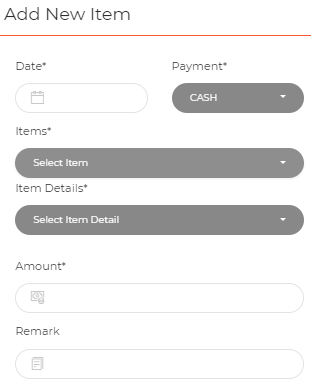
4. Click Save Item

5. Advance Settlement add Item, Will be show

- Add Actual Amount In Settlement Item List
1. Select advance items that you want to add actual amount in the list, click icon 
2. Enter actual amount
3. Click Save Item
4. Actual amount will be show
